If you've ever looked into building a website and ended up in a rabbit hole of "WordPress vs everything else" debates, you're not alone. It's one of the most searched questions in web development — and most of the answers you'll find are written by people trying to sell you one or the other.
We use both. Every week. And we've learned that the question isn't which one is better — it's which one is right for your specific situation.
This is that honest breakdown.
First, Let's Be Clear About What These Are
WordPress is a content management system. It was built to make publishing content easy — and it does that better than almost anything else. It powers over 40% of all websites on the internet for a reason.
Next.js is a React framework for building web applications and websites. It gives developers complete control over how a site is built, how it performs, and how it scales. It's what companies like Netflix, TikTok, and Twitch use for parts of their infrastructure.
They're not really competitors — they're different tools built for different jobs. The problem is that people use them interchangeably when they shouldn't.
When WordPress is the Right Choice
Your client needs to manage content themselves
This is the biggest one. WordPress has one of the most intuitive content management interfaces ever built. A business owner with zero technical knowledge can log in, write a blog post, upload images, and publish — without calling a developer.
If your client needs to update their own content regularly — blog posts, product descriptions, team members, events — WordPress is hard to beat. The admin panel is familiar, well-documented, and supported by thousands of tutorials and YouTube videos.
You need a blog-heavy website
WordPress was literally built for blogging. Categories, tags, author profiles, RSS feeds, comment systems, scheduled posts — it's all there out of the box. For content-driven websites where publishing volume is high, WordPress is the natural choice.
The budget is limited and the timeline is tight
A WordPress site with a custom theme can be built and delivered quickly. When a client has a limited budget and needs something professional live quickly, WordPress is often the pragmatic answer.
This doesn't mean cutting corners — a well-built custom WordPress theme is a serious piece of work. But the ecosystem of existing solutions means less time reinventing wheels.
E-commerce with standard requirements
WooCommerce — WordPress's e-commerce extension — is one of the most powerful and flexible e-commerce solutions available. If a client needs an online store with product pages, a cart, checkout, payment processing, inventory management, and order tracking, WooCommerce covers it comprehensively.
For standard e-commerce needs, building this from scratch in Next.js is rarely justified.
The project is a standard presentational website
Five to fifteen pages, contact form, about page, services, blog — if the requirements are standard and the client wants to manage it themselves, WordPress delivers exactly what's needed without overengineering the solution.
When Next.js is the Right Choice
Performance is a priority
Next.js sites are fast by default in a way that WordPress sites have to work hard to achieve. Server-side rendering, automatic image optimization, built-in code splitting, zero plugin overhead — the performance baseline is simply higher.
For businesses where website speed directly impacts revenue — high-traffic lead generation sites, custom web applications, content platforms with large audiences — the performance advantage of Next.js translates into real business results.
You need custom functionality that plugins can't deliver
As we covered in our previous post, plugins have limits. When a project requires genuinely custom functionality — a complex booking system, a client portal, a product configurator, API integrations with multiple external services — building it in Next.js gives you complete control.
You're not working around plugin limitations. You're not paying for features you don't need. You're building exactly what the project requires.
The site is more application than website
There's a spectrum between "website" and "web application." A blog is a website. A real-time dashboard where clients log in and manage their data is an application. Next.js is built for the application end of that spectrum.
If your project involves user authentication, real-time data, complex state management, or dynamic content that changes based on user behavior — Next.js is the right foundation.
Long-term scalability matters
Next.js codebases scale cleanly. As a project grows — more pages, more features, more traffic — a well-structured Next.js application grows with it. WordPress can scale too, but it requires more infrastructure work and the plugin dependency problem compounds over time.
For projects with ambitious long-term roadmaps, Next.js provides a more solid foundation.
The developer experience matters for ongoing work
If a project will involve regular development work — new features, integrations, ongoing customization — Next.js is a significantly better developer experience. Modern tooling, TypeScript support, component-based architecture, version control friendly — these things matter when a codebase needs to be maintained and extended over years.
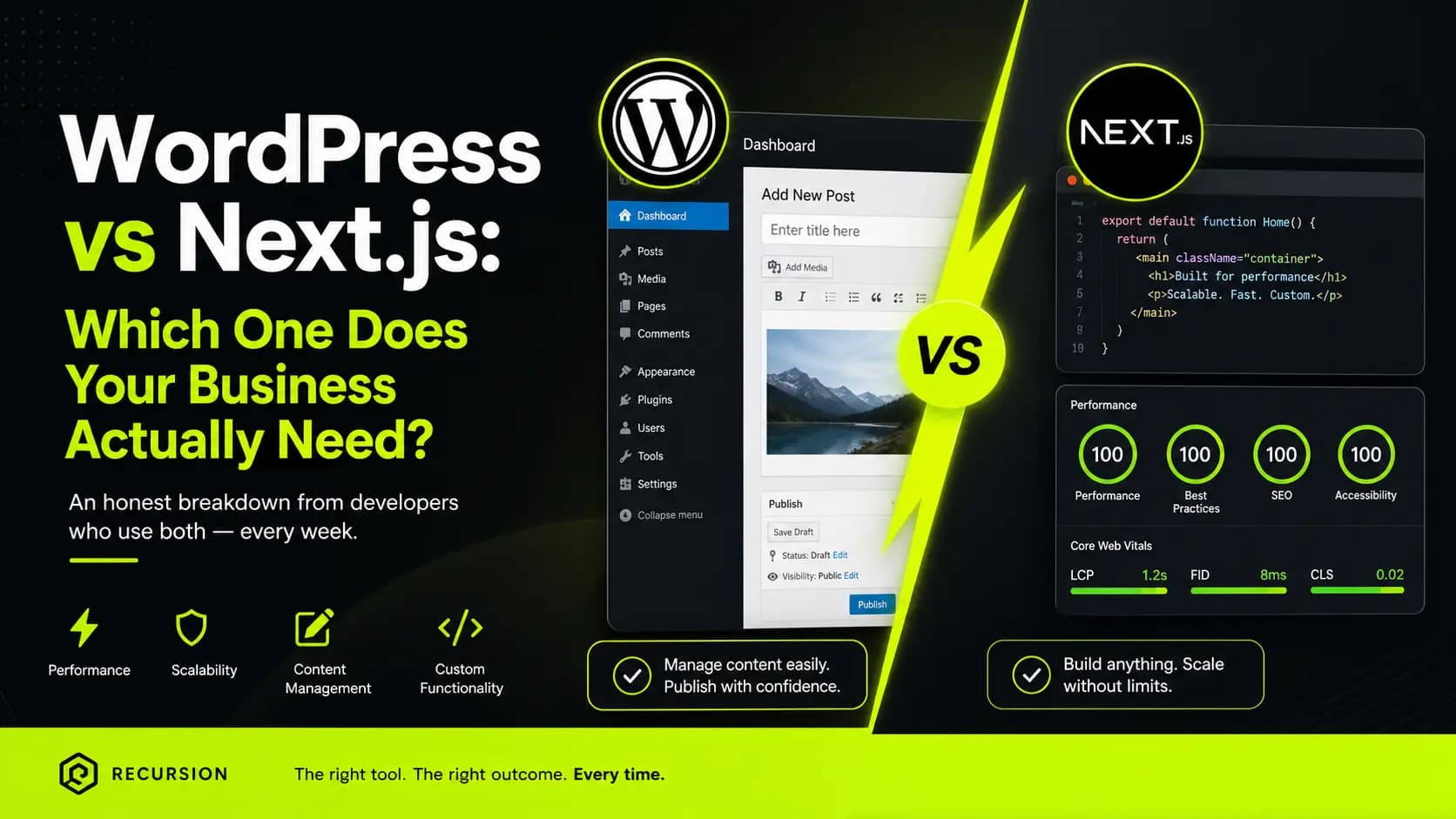
A Direct Comparison
| WordPress | Next.js | |
|---|---|---|
| Content management | Excellent | Requires CMS setup |
| Performance | Good with optimization | Excellent by default |
| Development speed | Fast for standard sites | Faster for complex apps |
| Security | Requires active maintenance | Minimal attack surface |
| SEO | Good with plugins | Excellent built-in |
| Scalability | Good | Excellent |
| Client self-management | Excellent | Requires setup |
| Custom functionality | Limited by plugins | Unlimited |
| Cost to maintain | Medium | Low |
How We Decide at Recursion
When a new project comes in, we ask a few key questions:
- Will the client manage content themselves? If yes, WordPress is usually the answer.
- Are there custom functionality requirements that plugins can't handle? If yes, Next.js.
- Is this more of an application than a website? Next.js.
- Is the timeline very short and the requirements standard? WordPress.
- Is long-term performance and scalability critical? Next.js.
Most of the time, the answers make the decision obvious. Occasionally a project sits in the middle — and that's when we have a real conversation with the client about priorities.
There's no shame in either choice. WordPress powers some of the most successful websites on the internet. Next.js powers some of the most ambitious web applications. The skill is knowing which tool to pick up for which job.
Conclusion
The WordPress vs Next.js debate is a false one. Neither is universally better. Both are excellent at what they're designed for.
What matters is matching the tool to the project — and having the experience to know the difference.
At Recursion, we don't have a preferred platform. We have a preferred outcome: a website that performs, that clients can manage, and that grows with the business. Sometimes that's WordPress. Sometimes that's Next.js. Always, it's the right choice for that specific project.
Working on a project and not sure which direction to go? Get in touch — we'll give you an honest answer.